Brug funktionen ”Giv mig besked..." herunder for opdateringer.
Leveringsmuligheder - Vælges ved checkout
Instabox - Pakkeboks
Fri fragt
GLS - Pakkeshop
Fri fragt
DAO - Hjemmelevering om natten og i de tidlige morgentimer
Perfekt til arbejdsdage - Levering inden kl. 06:00 - Klar når du vågner
9,00
GLS - Levering til hoveddøren
59,00
Afhentning i vores Pick-up point i Ringsted
Fri fragt
Vis alle leveringsmuligheder (5)
DKK
1.085,00
ex. moms 868,00
Total inkl. fragt
1.085,00
Giv mig besked når varen er på lager igen
Email:
Lageragent oprettet, vi sender en email når varen er på lager igen.
Tilføj til liste
Funktionen kræver at man er logget ind. Opret en bruger og brug vores smarte liste system til at holde styr på fremtidige indkøb, faste indkøb eller ønskelister.
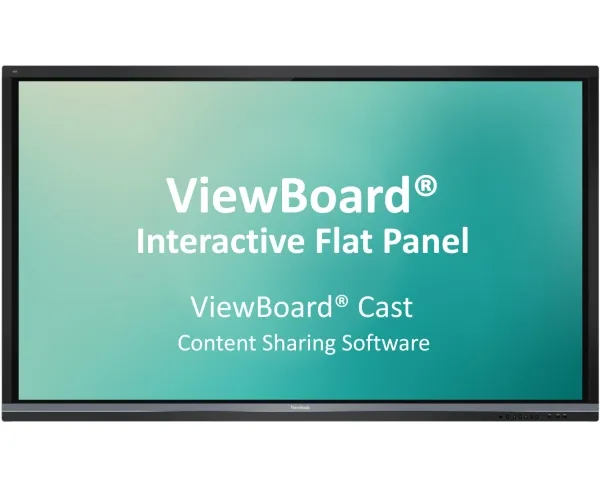
ViewBoard® Cast is an app for content sharing among mobile devices that enables 1080p content to be streamed from a user’s device onto ViewBoard® over wireless or cable networks. Content that can be broadcasted from mobile devices and shown on ViewBoard®’s large screen includes multimedia, documents, cloud files, and any content that can be used by multiple users simultaneously for real-time annotations. A host can control displayed content broadcasted from Window/Mac/Chrome OS laptops while Android and iOS device participants are able to use ViewBoard® Cast’s specialized annotation toolbar and control ViewBoard® remotely. Whether in class or in a meeting, ViewBoard® Cast makes teaching and group discussion quick and easy.
Compatible with Mobile Devices
Windows, Mac, Chrome, iOS, and Android users are able to connect to ViewBoard® over wireless and wired networks. Simply download the mobile app vCastSender* and connect to the ViewBoard® shared screen. *Download the vCastSender app for Chrome/Android/iOS
Presenting: Instant Wireless Presentations on Windows, Mac, Chrome, Android, and iOS
With just one click presenters can transmit content to ViewBoard® wirelessly to be displayed for all participants without monotonous setup and cable connection issues.
Participating: Simultaneous Mirroring on Android and iOS Devices
All Android and iOS users are able to mirror the content displayed on ViewBoard® in the same domain name system (DNS) no matter where they are in the room.
Participating: Simultaneous Annotating on Android and iOS Devices
All Android and iOS users are able to annotate on content displayed on ViewBoard® in the same domain name system (DNS) no matter where they are in the room.
Hosting: Annotation on ViewBoard® Mirrored to All
Hosts can annotate directly onto ViewBoard® content while simultaneously transmitting their annotations to all Android and iOS users.
Hosting: Touch Feedback Remote Control
During a discussion, hosts can access and control the presenter’s Windows or Mac device remotely via ViewBoard®’s touch feedback remote control, thus sharing control of the presenter’s device. Any changes made will be transmitted to all mobile users.
Hosting: Moderator Mode for Previewing and Managing Group Presentations
Moderator mode allows max. 30 - 50+ laptop participants to be connected simultaneously.* Hosts can preview, turn off, switch between, and annotate on any screen connected on ViewBoard®. *Number of participants will vary depending on PC performance, internet bandwidth, and router configuration. *ViewBoard® Cast Windows version only.
Hosting: Split Screen for Mirrored Screen Overview
From side-by-side to multiple screens*, ViewBoard® enables all presenters to share their screens while not showing the ones a host has turned off. *Number of participants will vary depending on PC performance, internet bandwidth, and router configuration. *ViewBoard® Cast Android version not supported on IFPXX60.
Hosting: Broadcast to All
With support for Windows, Mac, Chrome, Android, and iOS, hosts can mirror a screen on ViewBoard® to all attendees at any time. Whether for meetings or in classes, notes can be saved as an image file by ViewBoard®’s embedded software in an instant. *ViewBoard® Cast Windows version only.
Kapabilitet
Windows, Mac, Chrome, iOS, Android
Antal pr. pakke
1 stk
Produktet er kendt under følgende varenumre i vores system
SKU:
SW-101
Hvorfor oplever jeg at den umiddelbart samme vare findes på forskellige varenumre?
Producenterne udgiver ofte den samme vare med forskellige varenumre, typisk handler det udelukkende om forskellige versioner af emballagen. Eksempelvis kan emballagen være målrettet forskellige lande.
Vi forsøger bedst muligt at samle varerne, men det kan opleves at den samme vare figurerer på forskellige varenumre i vores system.